Wednesday, February 6, 2019
Smart Shoes on KPCC's AirTalk
I was a guest on KPCC's AirTalk program, hosted by Larry Mantle. I was speaking on wearable technologies, such as smart shoes. The other guest was Peter Rubin, from Wired Magazine. You can hear the segment here. This was my first experience being on live radio.

Friday, February 1, 2019
ARL West Video
I am part of a video showcasing the Army Research Lab West as one of their collaborators.

It is an honor be part of a video that includes Nobel Prize winner Francis Arnold at Caltech, my colleagues at USC, and other researchers at UCSB, UCR. There is nice footage of low cost VR displays and other VR systems developed in my lab.

It is an honor be part of a video that includes Nobel Prize winner Francis Arnold at Caltech, my colleagues at USC, and other researchers at UCSB, UCR. There is nice footage of low cost VR displays and other VR systems developed in my lab.
Friday, May 23, 2014
The Untempered Schism
I recently visited Caltech, where I earned my undergraduate degree. I met old friends and caught up on the stories of old classmates. The challenges of a Caltech education and its lifelong impact on students made me think of a cute analogy with characters and events of the long running science fiction television series Doctor Who.
Doctor Who relates the adventures of the Doctor, an alien who wanders through space and time, thwarting the bad guys and helping those in need. He is of an ancient race of time travelers. One of their customs is to select their best and brightest children to gaze upon the Untempered Schism, a rift in space and time, exposing the children to the wonders and dangers of the Universe.
Caltech is a bit like the Untempered Schism, with students exposed to a firehose of information in Freshman Physics, Math, and Chemistry courses. I put together some images of Professor Richard Feynman, a long time Caltech scientist, lecturing on Physics, with a quote from the Doctor about the Untempered Schism.
Click to see larger images. Yes, the images are a little tongue in cheek.
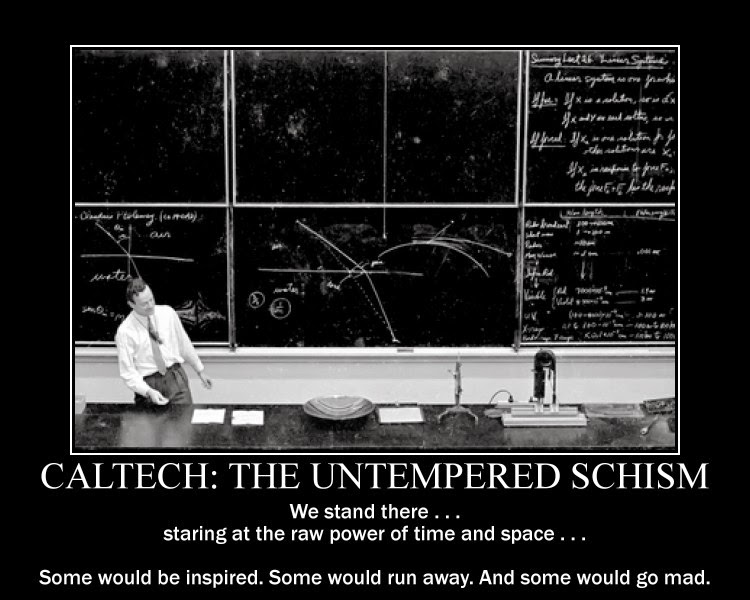
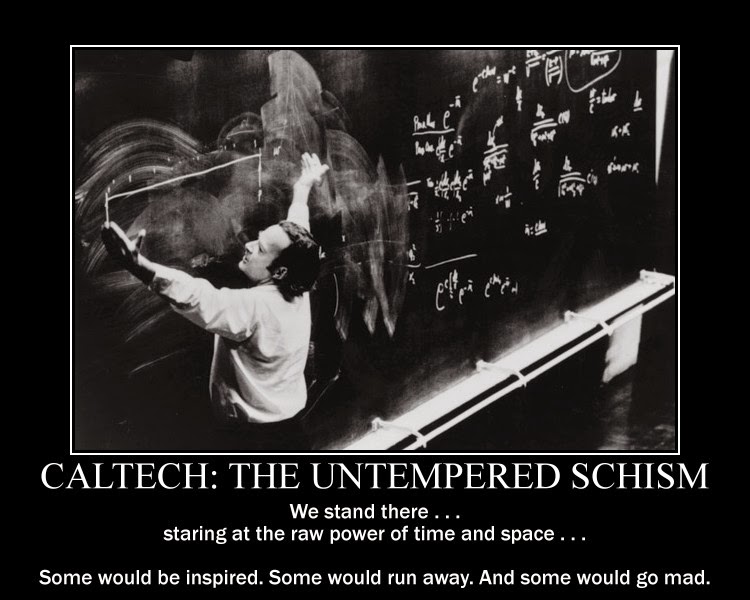
I unfortunately never met Professor Feynman. He had passed away a few years before I came to Caltech. However, he is an icon of Physics and Physics instruction at Caltech to this day.
Doctor Who relates the adventures of the Doctor, an alien who wanders through space and time, thwarting the bad guys and helping those in need. He is of an ancient race of time travelers. One of their customs is to select their best and brightest children to gaze upon the Untempered Schism, a rift in space and time, exposing the children to the wonders and dangers of the Universe.
Caltech is a bit like the Untempered Schism, with students exposed to a firehose of information in Freshman Physics, Math, and Chemistry courses. I put together some images of Professor Richard Feynman, a long time Caltech scientist, lecturing on Physics, with a quote from the Doctor about the Untempered Schism.
Click to see larger images. Yes, the images are a little tongue in cheek.
I unfortunately never met Professor Feynman. He had passed away a few years before I came to Caltech. However, he is an icon of Physics and Physics instruction at Caltech to this day.
Monday, March 10, 2014
Tiled Displays
 This is more of a historical footnote, rather than a new development.
A few years ago, in 2006, I worked with an intern from Virginia Tech who built a small cluster of tiled displays for me. There were four Linux machines networked together. One was the master machine, and the remaining three machines each drove two displays. I recall that it used Chromium, the networked OpenGL implementation.
This was pretty scalable, so additional machines and monitors could be tiled together. We could have built a huge visualization wall with some more investment. I recall encouraging some folks to use it for large circuit designs as well as visualizations of combustion simulations.
The other cool thing I remember was that you could remote desktop into another Windows box from the cluster, which gave you a truly huge Windows desktop. Applications like Google Maps gave a significantly different experience. You could not take in the whole display. Your eyes and your head moved around as you scanned and focused on different details. It is hard to describe how qualitatively and quantitatively a different experience this was to me.
Today, displays cost even less. There are high resolution displays, like the retina displays from Apple, and graphics horsepower is significantly better. Studies have shown that more computer display space helps make users more effective. I think that many power users opt for two or more large displays for their machines.
This tiled display was still super cool and useful. It is easier than ever to attach a lot of pixels to your computer. I don't think you even need Chromium so much anymore. So just do it!
Friday, November 2, 2012
Long Exposure Photography
On a recent trip to Catalina Island, I brought a Canon camera that I had prepared with alternative firmware from the CHDK project. This firmware opens up more of the capabilities of the firmware such as saving pictures in the RAW image format, scripting, and very long exposures. It only supports certain Canon cameras.
Using a small tripod and long exposures of about 2 minutes, I captured the following images of the night sky. This was a first time experiment, but the results were very interesting.
Using a small tripod and long exposures of about 2 minutes, I captured the following images of the night sky. This was a first time experiment, but the results were very interesting.
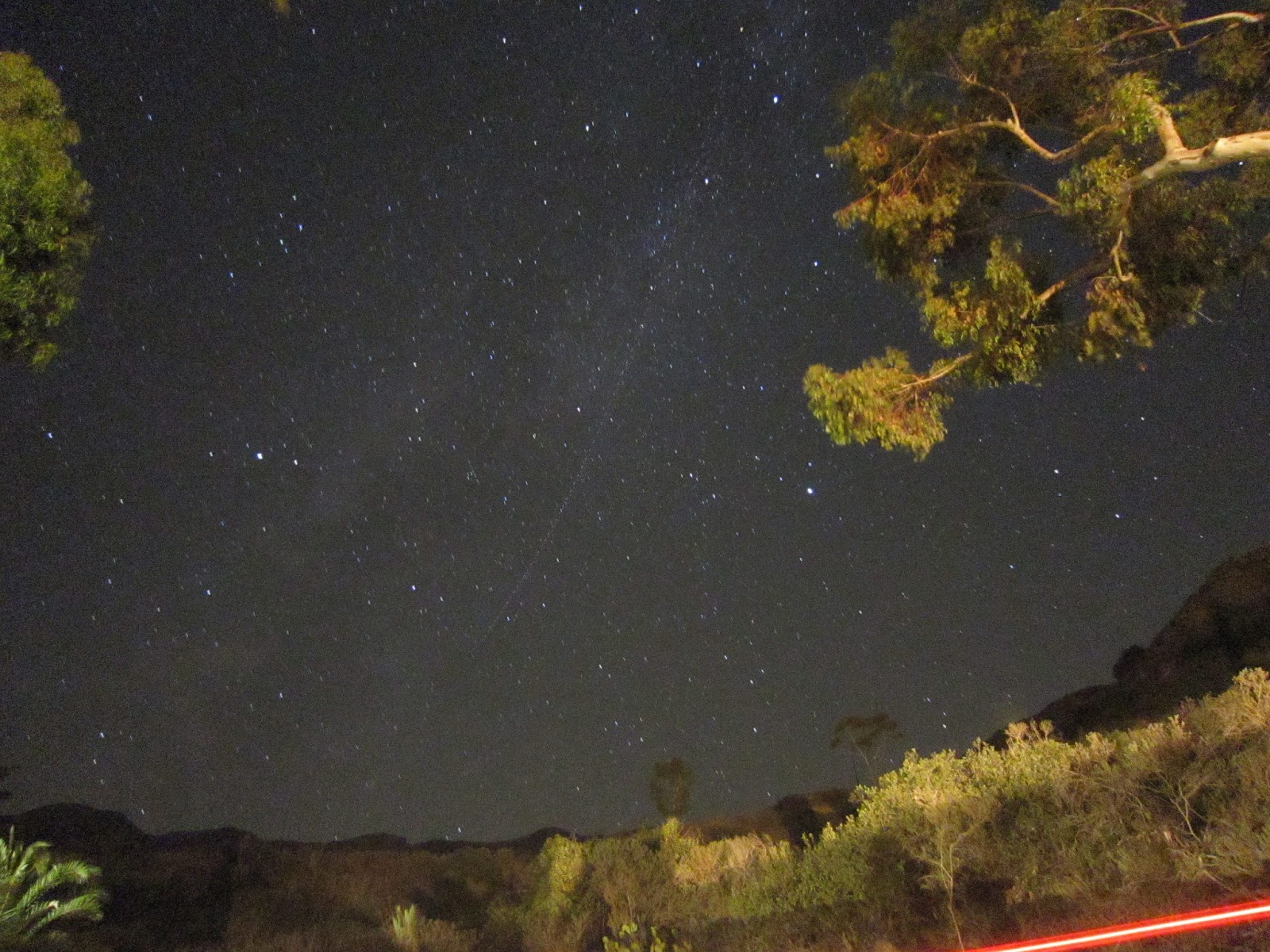 |
| The red streak in the lower right is the tail light of a passing car. The dotted line through the center of the image is likely a passing airplane. |
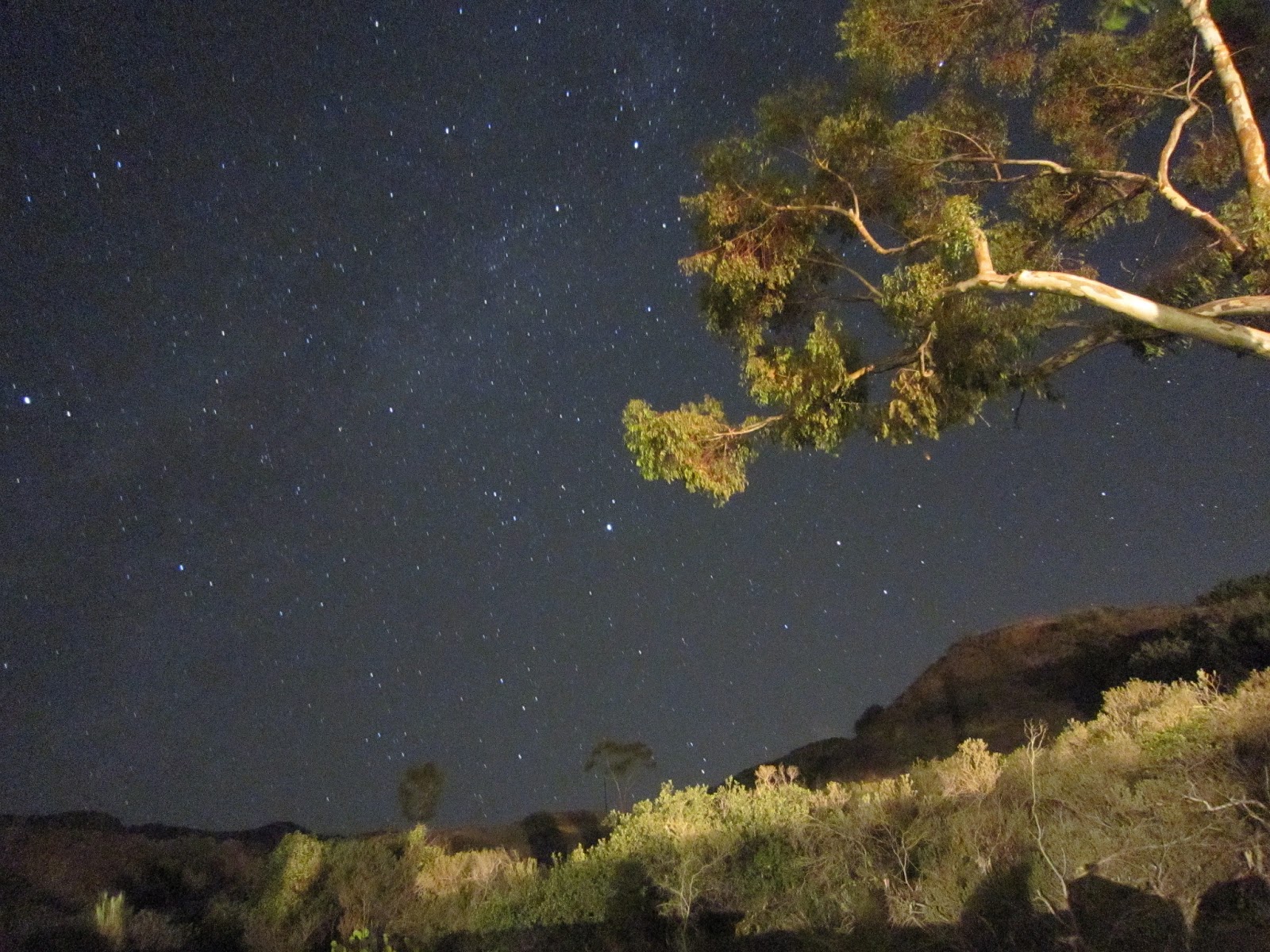 |
| To the naked eye, the trees and bushes were very dimly lit. The hills were black. |
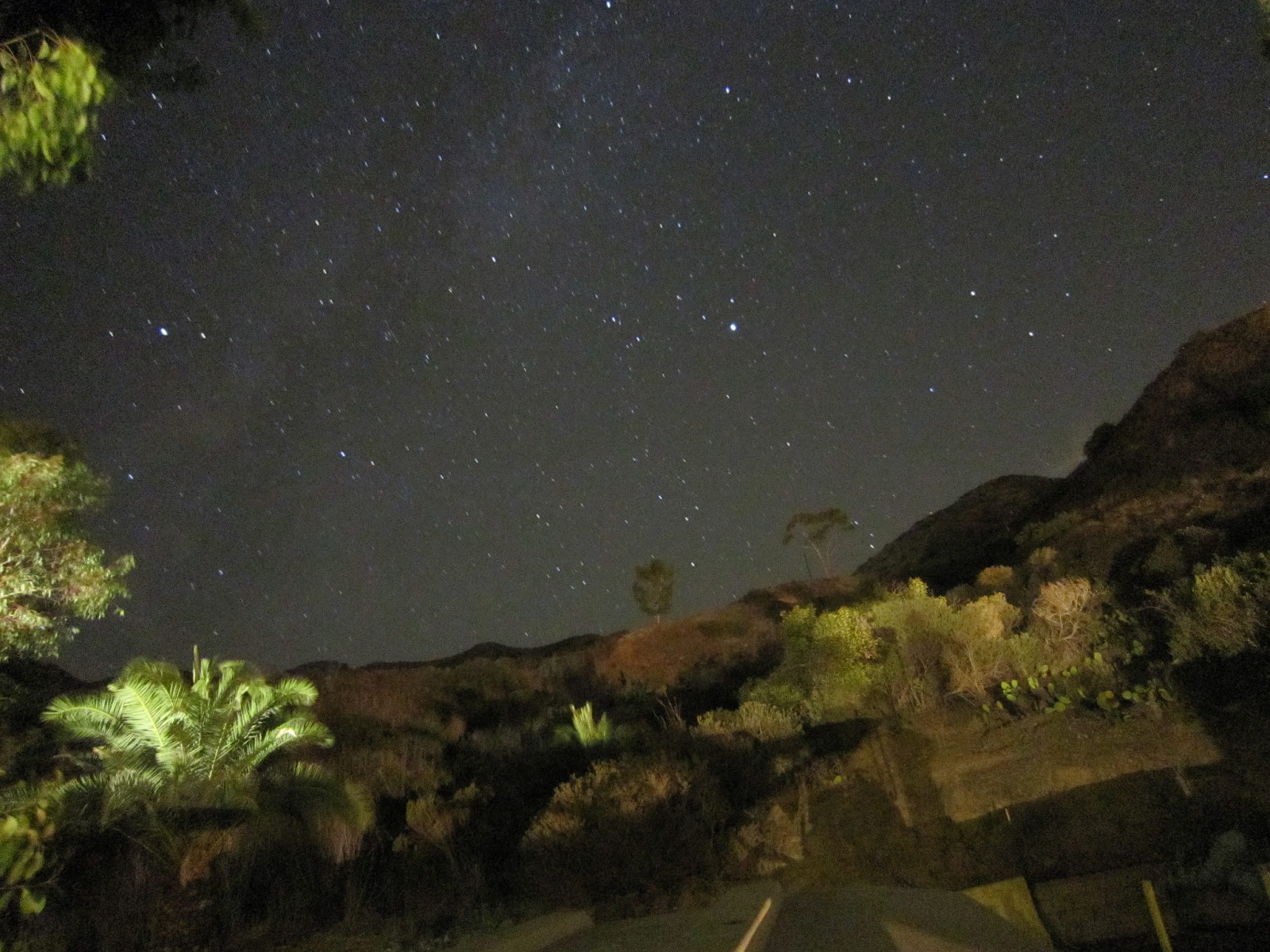 |
| You can definitely see some structure of the Milky Way. |
 |
| In these images, you can see the stars are elongated, showing the earth's movement over the exposure time. |
 |
| The building lights cast an interesting glow. |
Wednesday, October 31, 2012
Halloween Pumpkins
I'm not carving a pumpkin this year. However, I did do some carving last year and in 2009. The Hello Kitty is a basically a relief carving.


My 2011 Hello Kitty Pumpkin

My 2011 Hello Kitty Pumpkin

My 2011 Hello Kitty Pumpkin

My 2009 Toothy Pumpkin

My 2009 Toothy Pumpkin
I used a paring knife, a Leatherman Micra, and an XActo knife. I'm thinking about upgrading to clay sculpting loops in the future. I usually do some internet searching for inspiration and my 2009 pumpkin is an "homage" to another pumpkin.
I won some movie tickets for the Hello Kitty pumpkin from my workplace. However, there was only one other entry in the pumpkin carving contest that year.
I won some movie tickets for the Hello Kitty pumpkin from my workplace. However, there was only one other entry in the pumpkin carving contest that year.
Friday, September 21, 2012
That'll do shuttle, that'll do.
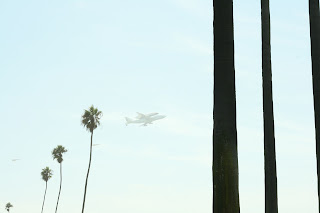
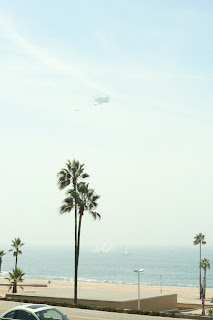
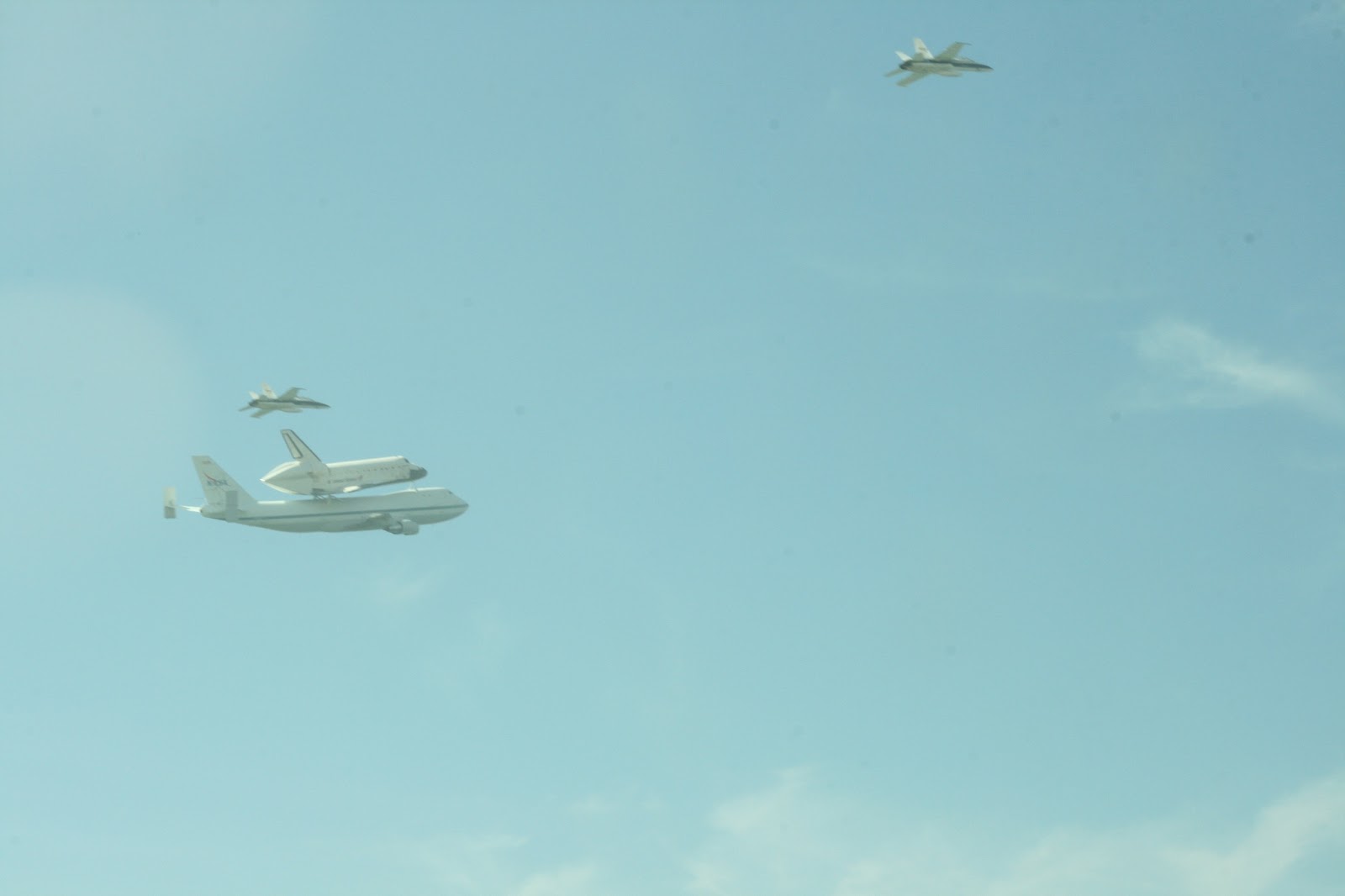
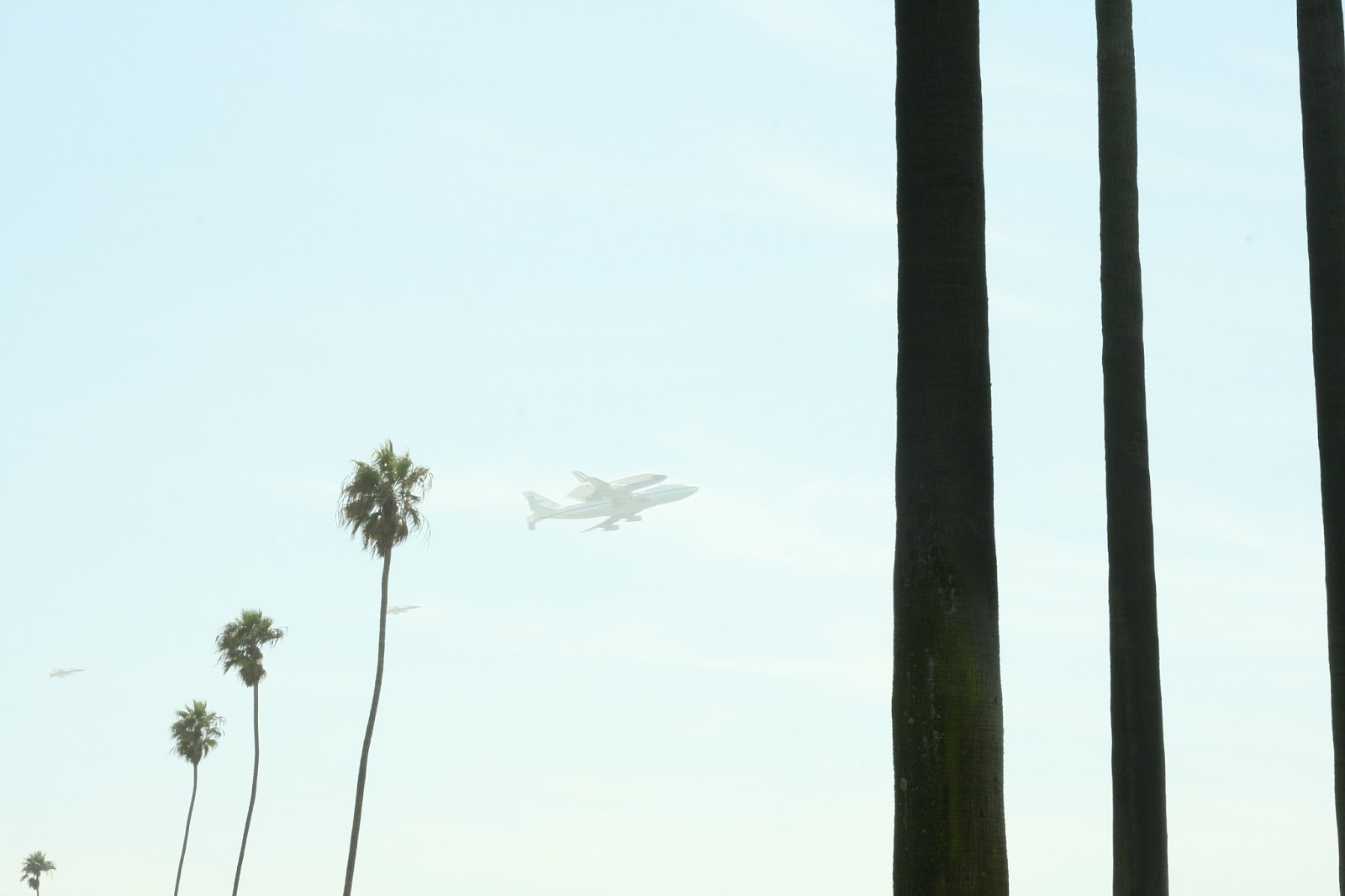
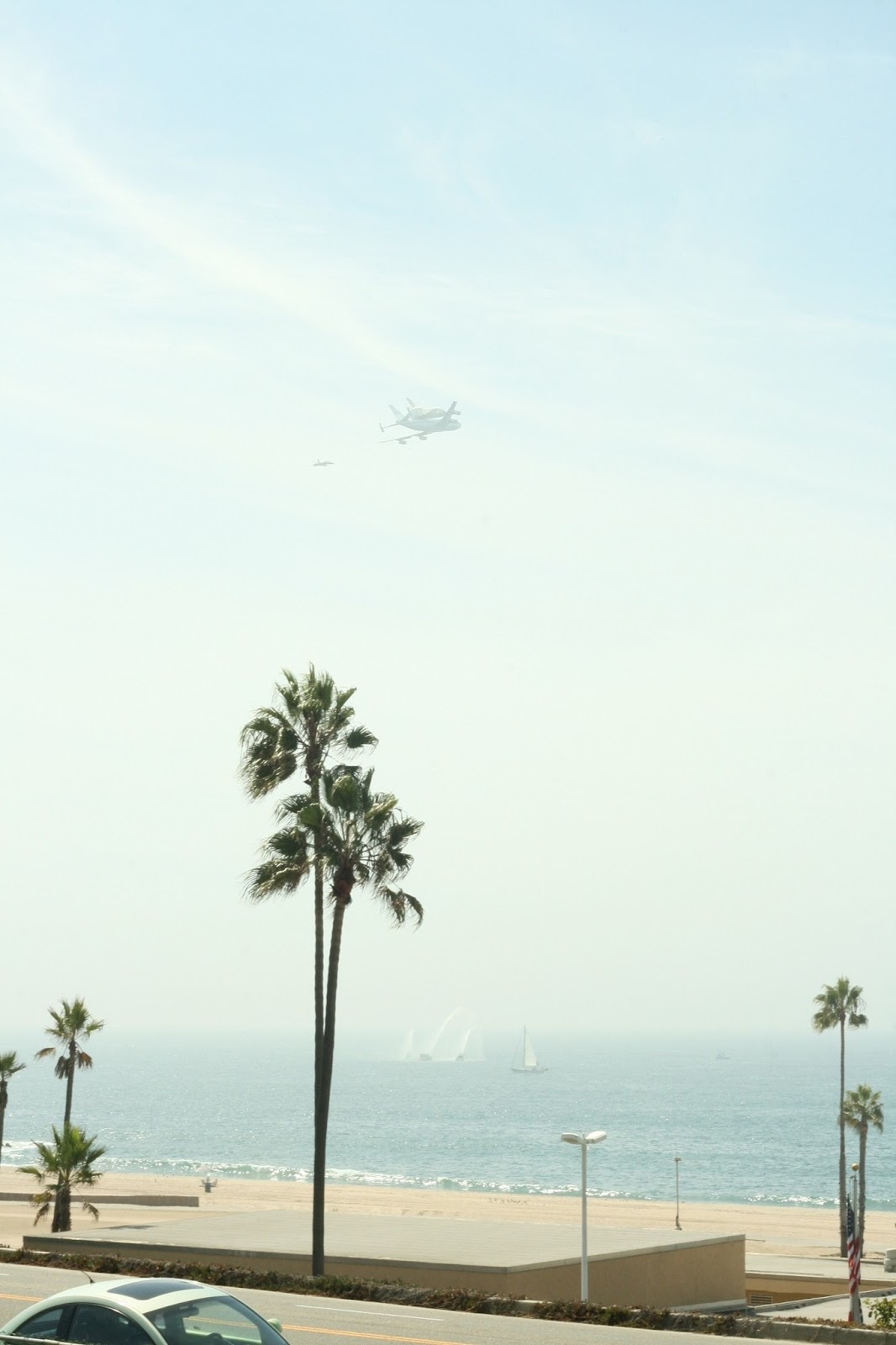
The shuttle Endeavour passed over California today. It landed at LAX and will begin a slow journey to her final retirement at the California Science Center.

That'll do shuttle, that'll do.
Thursday, October 14, 2010
Antique Artifacts

As Richard Polt posits, human constructed artifacts are created in a particular context of technology and culture. Technology and culture will then march, or perhaps drift on, slowly altering that context until such artifacts are antique, and are little connected to the technology and culture of our present.
 The typewriter existed in a constellation of office culture and precision mechanical manufacturing expertise of the late 19th and most of the 20th centuries. Today, it is hard to believe that typewriter repair shops existed in every major city and that anyone could do work in an office punctuated by the staccato of type arms striking paper. The word processor has replaced both the typewriter and the typing pool.
 The images are of a Remington Rand Deluxe Model 5, a portable manual typewriter that was manufactured before and after World War II. This particular typewriter was manufactured between 1946 and 1949. I found it at a garage sale and purchased it for a few dollars.
I learned to type on manual typewriters in a junior high school typing class in the mid 1980s. The sounds of the strikes on the paper and the ding when you near the right side of the paper are still a kind of music. It makes you think of the writer's den, the newsroom, and the busy office.
Some fun websites on typewriters are listed below. Craigslist, Etsy, and eBay are potential Internet sources for old typewriters. Garage sales, estate sales, and thrift shops are potential local sources.
Monday, August 30, 2010
3D Photography
3D displays are beginning to become popular again with new 3D capable televisions entering the market. However, 3D displays have a long history. In the 1800's Charles Wheatstone developed a technique for producing 3D imagery that involved presenting slightly different images to the left and right eyes. There's a nice article about stereoscopes at Wikipedia.
To create 3D photographs, we can take an image with a camera, slide the camera to the right a certain distance, and take another image. If we present the left image to the left eye and the right image to the right eye, the viewer will see a 3 dimensional image.
 Here is an image I made of Gunslinger, a research project at the USC Institute for Creative Technologies. It is an immersive experiment in storytelling that puts you in the role of a ranger in the old west.
This is an anaglyph image, which means it combines a red image and blue image together, but you wear glasses with red and blue filters to direct the red image to one eye and the blue image to the other. So with your red and blue 3D glasses, you will see some depth. I used some free software called Anaglyph Maker to create the composite picture from the two original images.
I built a camera rail, which allows me to slide the camera along a fixed track. A rule of thumb I have seen is to measure the distance from the camera to the objects in the scene and use 1/30 of that value for the displacement. If you are taking an image of something 10 feet away, you should slide the camera 4 inches between images (10 feet = 120 inches, 120 inches/30 = 4 inches). There can be other considerations, like the range of distances to object in the scene, the size of the screen on which you will finally view the image, the ability of your users to fuse stereo images (which varies from person to person), as well as the composition and dramatic effect you are trying to achieve in you image.
To create 3D photographs, we can take an image with a camera, slide the camera to the right a certain distance, and take another image. If we present the left image to the left eye and the right image to the right eye, the viewer will see a 3 dimensional image.
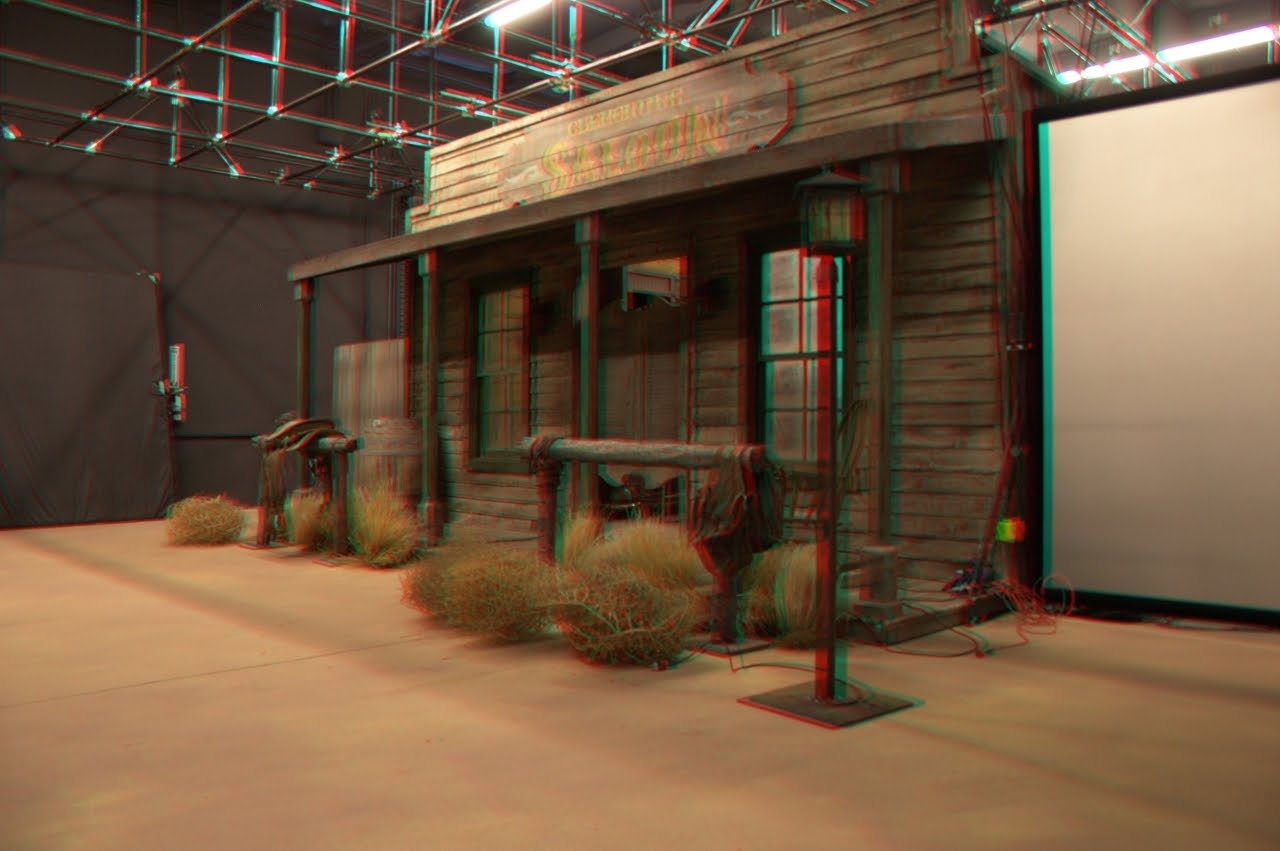 Here is an image I made of Gunslinger, a research project at the USC Institute for Creative Technologies. It is an immersive experiment in storytelling that puts you in the role of a ranger in the old west.
 This is an anaglyph image, which means it combines a red image and blue image together, but you wear glasses with red and blue filters to direct the red image to one eye and the blue image to the other. So with your red and blue 3D glasses, you will see some depth. I used some free software called Anaglyph Maker to create the composite picture from the two original images.
I built a camera rail, which allows me to slide the camera along a fixed track. A rule of thumb I have seen is to measure the distance from the camera to the objects in the scene and use 1/30 of that value for the displacement. If you are taking an image of something 10 feet away, you should slide the camera 4 inches between images (10 feet = 120 inches, 120 inches/30 = 4 inches). There can be other considerations, like the range of distances to object in the scene, the size of the screen on which you will finally view the image, the ability of your users to fuse stereo images (which varies from person to person), as well as the composition and dramatic effect you are trying to achieve in you image.
Tuesday, January 6, 2009
Ergonomic Keyboards
A lot of people comment on my keyboard, which is a Kinesis Classic Ergonomic Keyboard. It has a very unusual appearance. There keys are separated into several clusters. The smaller clusters can be reached by the right and left thumbs. Since the thumbs are rather strong, it makes sense to use them for many keys. With a standard keyboard, I usually only use my thumbs for the space bar.
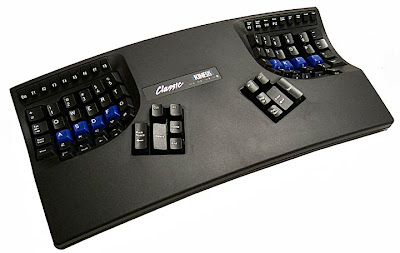
The larger clusters of keys are dished, which is meant to conform the to arcs in which your fingers can move. The keys are basically arranged in a standard QWERTY key pattern, but DVORAK keyboards are also available from Kinesis. It is very programmable and configurable. I could remap the keys according to some personal preferences, but I'm quite happy with the default settings. I do turn off the audible keyboard click.
I do enjoy using it. It did take me about two weeks to feel comfortable with it. I then started a large programming project and discovered that I needed a little longer to adjust to it for programming usage. The symbols that you commonly use in C++ programming have been slightly relocated. Letters and numbers are in the standard relative locations, but I had to relearn proper two-handed typing. One of the interesting side effects for me is that I can switch between a standard, non-ergonomic keyboard and my Kinesis keyboard. However, if I use some of the curved, semi-ergonomic keyboards from Microsoft or Logitech, my fingers get confused. I can't help but use those keyboards as if they were like my Kinesis. I suppose the keyboard classifier algorithm in my fingers can not recognize keyboards of intermediate designs!

For folks who have issues with Repetitive Stress Injuries, Carpal Tunnel Syndrome, or any kind of pain from working at a desk with computers, ergonomic devices can be part of the answer. I've learned that each person's ergonomic issues can be highly individual and each person will need to work to understand how to address their issues.
Fortunately, many workplaces have ergonomic consultants who can come by and help improve your workspace. It's better to help folks before they have a major injury, lose productivity, or spend time from work.

The larger clusters of keys are dished, which is meant to conform the to arcs in which your fingers can move. The keys are basically arranged in a standard QWERTY key pattern, but DVORAK keyboards are also available from Kinesis. It is very programmable and configurable. I could remap the keys according to some personal preferences, but I'm quite happy with the default settings. I do turn off the audible keyboard click.
I do enjoy using it. It did take me about two weeks to feel comfortable with it. I then started a large programming project and discovered that I needed a little longer to adjust to it for programming usage. The symbols that you commonly use in C++ programming have been slightly relocated. Letters and numbers are in the standard relative locations, but I had to relearn proper two-handed typing. One of the interesting side effects for me is that I can switch between a standard, non-ergonomic keyboard and my Kinesis keyboard. However, if I use some of the curved, semi-ergonomic keyboards from Microsoft or Logitech, my fingers get confused. I can't help but use those keyboards as if they were like my Kinesis. I suppose the keyboard classifier algorithm in my fingers can not recognize keyboards of intermediate designs!

For folks who have issues with Repetitive Stress Injuries, Carpal Tunnel Syndrome, or any kind of pain from working at a desk with computers, ergonomic devices can be part of the answer. I've learned that each person's ergonomic issues can be highly individual and each person will need to work to understand how to address their issues.
Fortunately, many workplaces have ergonomic consultants who can come by and help improve your workspace. It's better to help folks before they have a major injury, lose productivity, or spend time from work.
Thursday, July 26, 2007
Laser Range Finders
 Bosch, the company known for automotive parts, also has a division that builds power tools. One of their most interesting product lines is a set of laser range finders. The model on the left is a DLE 50. The red button triggers the laser, and a set of optics and an optical sensor triangulate the distance to a visible red laser dot. It can measure distances up to 50 meters with an typical accuracy of a 1.5 millimeters.
The model on the right, the DLE 150 Connect, provides a few more features. Range is up to 150 meters. It also comes with Bluetooth connectivity, allowing it to send measurements to Windows laptops or Windows Mobile PDA's.
They use some of the same optical principles as the Velodyne LIDAR I discussed in an earlier post. They also have a nice industrial design with a tough enclosure and a large button that gives a bit of a kick when triggered. That's great for users who are wearing thick gloves. Unfortunately, these range finders do not yet seem to be available in the US.
For purposes of full disclosure, I must add that at the time I posted this blog, I worked for the Bosch corporation at its research lab in Palo Alto, California.
Friday, July 20, 2007
Moffet Field Hanger
 This is Hanger One at Moffet Field, a former Naval Air Station. The US Navy left Moffet Field in 1994, leaving the field to the NASA Ames Research Center. Many of the buildings now house NASA contractors. The airfield sometimes serves Air Force One during visits of the president to the Bay Area.
Hanger One was built in the 1930s to house the USS Macon, a helium filled blimp commissioned by the Navy for scouting. The hanger is 1,133 feet long, 308 feet wide, and covers 8 acres in area.
Hanger One is so large that it can generate it's own unique weather. Fog sometimes forms inside the hanger, near the ceiling. I've heard that it can even rain inside the hanger.
While it is a familiar and significant historical landmark for Bay Area residents, it is an environmental hazard due to asbestos and toxic materials that leach into the area's ground water. The high costs of both demolition or decontamination have thus far prevented any decisions about how to deal with the hanger.
Friday, June 15, 2007
Velodyne LIDAR

Here is a photo of a Velodyne LIDAR sensor. It uses lasers to make 3D scans of the surrounding environment.
Velodyne is a company better known for sub-woofers. They participated in the 2005 DARPA Grand Challenge for autonomous vehicles. The notable feature of their entry was the new LIDAR sensor that they had designed and built. My understanding is that the founders are quite the tinkerers and inventors and just decided to build a new LIDAR.
Many of the other teams were quite impressed with its performance and wanted to get one for themselves. The current version has 64 lasers that scan as the entire unit rotates. You can visit Velodyne's LIDAR page for more information. It's being used by several teams in the upcoming DARPA Urban Grad Challenge, including the Stanford team.
Subscribe to:
Posts (Atom)